|
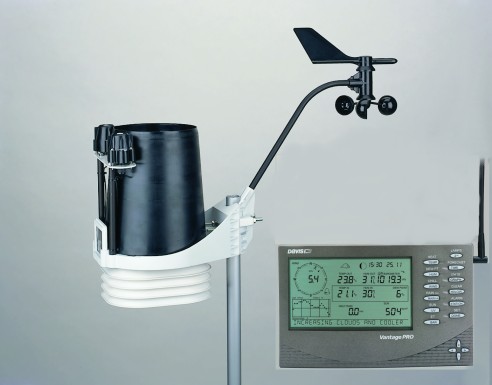
Davis Vantage Pro 2 Wireless
Model # 6152
High Quality
_______________________________________________________________________________________
A
Personal Weather Station Or PWS
is a private or non-commercial weather station. Many amateur weather
enthusiasts maintain PWS for personal use and provide local weather data
to the National Weather Service and commercial weather services such as
Weather Underground, PWS Weather, Ambient Weather etc.
These
PWS provide important weather data to the NWS which aids the NWS in monitoring weather throughout the US and it's territories.
This information assists the NWS in observing ever changing weather
and verifies what
their data shows or does not show.
Who
may operate a PWS ?
Anyone
may operate a PWS and provide weather data to the various services.
What
do I need to set up a PWS ?
You
will need a quality weather station you can purchase as a complete
station or assemble from quality components.
To
learn more on getting started and station selection
click here
from the
Weather Underground PWS Guide
To
set up (sitting) station for high quality data suitable to join the Citizen
Weather Observer Program or CWOP
, read and download their
CWOP Guide here.
Setting Up PWS to Send Data
To
send data via the internet to NOAA's CWOP, your software must be
able to send in APRS message format.
You
are not required to use a radio interface for the CWOP program. If your have an internet connection, your weather station interfaces
with your computer, and you have weather data logging software that can
format and send APRS messages (VWS, WeatherDisplay, WeatherLink,
WeatherView32, Cumulus etc.), via the internet, your all set to go.
You
can sign up for CWOP at this link.
http://www.wxqa.com/SIGN-UP.html
This will walk you through the sign up process.
If
you need APRS data sending software, select a program such as VWS,
WeatherDisplay, WeatherLink, WeatherView32, Cumulus etc.
See
software links below.
Upon signing
up with CWOP you will receive an ID number and password.
You
can use your amateur radio call or for those who are not hams,
they will receive a CW or DW id. With the CWOP id and password, you can
set up the APRS sending software to send to APRS/CWOP.
You
can then sign up for on-line weather sites such as Weather Underground.
They will assign you a id and password.
If
you have a Weather
Underground id, we can place a weather banner with your data on the
page. (See below)
NOTE:
Your station must meet and maintain quality data standards as set by
NOAA's CWOP and MADIS
Set
Up Example: 5/10/11 PWS
ProWeatherStation
TM
Station
CWOP ID:
WX4PBC
MADIS ID:
AT683
Weather Underground ID:KFLBELLE13
APRS Logging Software: Cumulus
Version 1.9.1 (Free Download)
1) Register with CWOP and obtain ID number and set password.
2) Register with
Weather Underground and obtain ID number and
set password
3)
Download APRS data logging software on computer.
(This example uses
Cumulus 1.9.1)
4) Open Configuration
menu and open Station (Example -1)
5) Set Type of station.
If not listed, use FineOffset
6) Set Lat & Long.
These will need to be exact.
7) Set Altitude.
This will be your known height above sea level (ASL)
Example-1 : Setting Station Settings

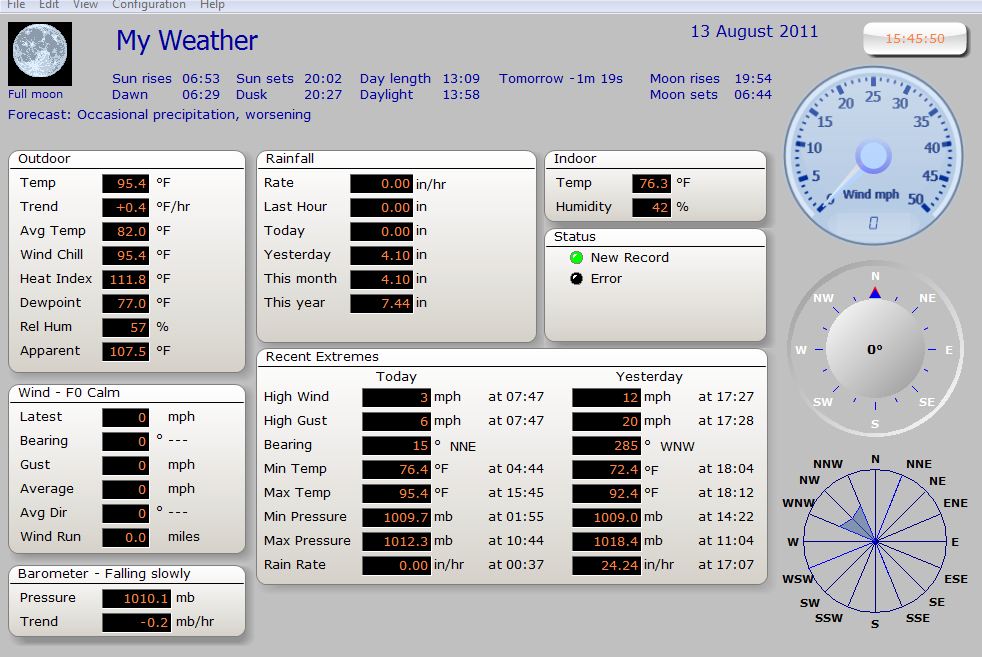
Example
2 : Confirm WX Station Data is Running
in APRS Logging Software
Example
3 : Enter Your ID
numbers & Passwords and Hit OK.
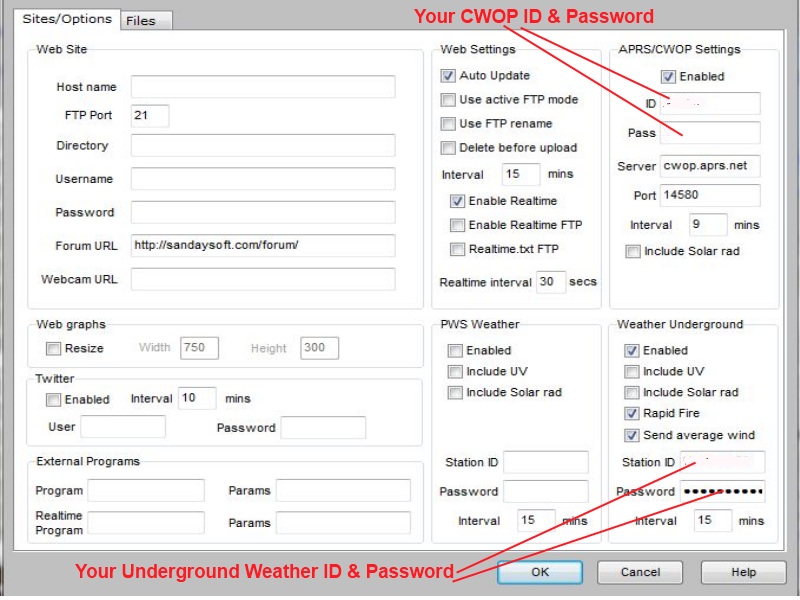
These
examples are using SandySoft Cumulus 1.9.1but are typical set up
instructions.
Once
your station is providing data to the internet via Weather Underground
or other web
based data supplier, e-mail Ray WX4PBC
(Webmaster) with your station ID and your
PWS will appear on our
site.
Widget
Example:
Update
5/2/15
New Davis Vantage station Wx4pbc uploaded with Davis
WeatherLink IP
See
below *NOTE
on
Davis weather
stations &
proprietary interface cables.
| Weather Stations (Hardware)
European Resellers
Link
to Buyer's Guide from Ambient Weather
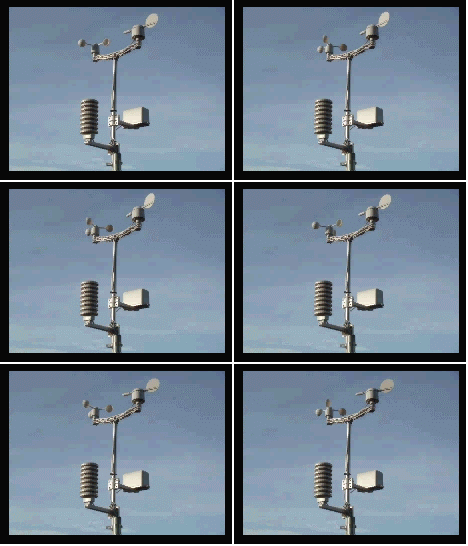
ProWeatherStation
TM
Model
#TP1080WC
Good Quality
"The
best computer weather station is the ProWeatherStation Wireless Data
Logging Weather Station."
Source:
weatherstationexperts.com
Known by
many different brand names & suppliers
|
Weather Stations
(Software)
*
NOTE: While most
weather stations come with a console to PC interface
cable, Davis Instruments
weather stations do not come with console to PC or Internet
interface cables.
User must
purchase the correct interface cable or either WeatherLink
software for data logging and PC interface module / cable or WeatherLinkIP
software which come with logger module and console to PC / Wifi router
interface cables.
If you can
obtain a stand-a-lone data interface cable, you can us other
logging software such as Cumulus with a Davis
Instrument
station.
These cables are proprietary to Davis
Instruments
weather
station consoles.
If looking to
download weather data to computer or upload your weather data to
the internet, be sure to confirm the weather station is
compatible for PC interfacing and what connection cables if any
come with your station or what type cables you will need to
purchase.
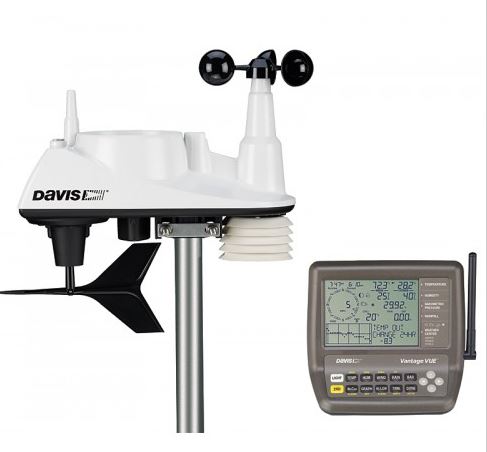
Davis
Vantage Vue Wireless
Model #6250
High
Quality
"The
overall best weather station according to online
weather
station ratings".
Source:
weatherstationexperts.com
|
PBC Skywarn does not
promote or support any product or service over another.
All information presented here as to
price, product availability or quality is solely to assist visitors in available
resources.
PBC Skywarn PWS Weather Around Palm Beach County
K9EE: Lake Worth / Lantana
WX4PBC:
Belle Glade
Wx4pbc
Real-time Davis station
data Wx-page
W4JKJ
West Jupiter
Boca Surf Cam
|